1262

That's right, it goes in the USB-C hole!
Wait until they encounter the final boss
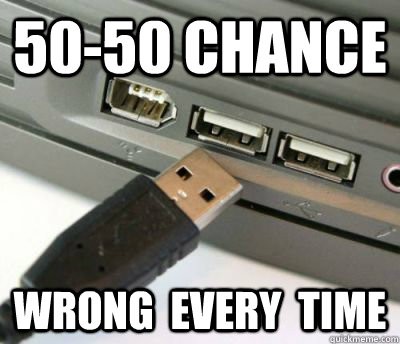
There are 3 ways to plug in a USB-A. Wrong, wrong and right.
Hey I can consistently get that around my 4th try
We used to have time to eat serial, but now everything has to catch the bus.
My favorite fucked-up thing from the past was the Macintosh circa 1990. The disk drive on this thing had no eject button -- to eject a disk, you just did the oh-so-fucking-intuitive thing of dragging the disk icon over the trash can icon. But they did very conveniently place the big knobby power button for the whole computer (which looked exactly like an eject button) right above the disk drive. I spent a year constantly powering off the computer every time I wanted to just eject the disk.
At the university I went to in the 90s, there was a bank of 5 Macs. Each one had a printed label next to the power button instructing users that it wasn't the disk eject button.
to eject a disk, you just did the oh-so-fucking-intuitive thing of dragging the disk icon over the trash can icon.
"Ah yes, just delete the disk to eject the disk drive. Of course!"
That's such a crime against UI LOL.
Especially because I am sure it feels very scary to people with important data on the disk.
That would be a neat shortcut for formatting it though lol.
Exactly! I mean, why wouldn't you think that doing that would delete everything on the disk instead of just ejecting it?
All devices now have chips that do a handshake with the charger, exchanging information about supported standards and charging using the best common option. So I charge my prohe with a 90W laptop charger, even when it is unable to use the whole wattage
I spent two hours today explaining the difference between USBC plugs meaning USB 3 — USB 3.1, USB 3.2, and thunderbolt 4,and the differences between all of that, and how they would affect the performance when my buddy was shopping for an external drive bay enclosure. (You bought a server with TB4 ports, get that TB4 enclosure! Those drives are set up in parallel, so let’s eat that speed!)
I literally had to explain the differences to him for two hours. Not because he was stupid, but because it’s absurdly complicated.
Tell me about it. I've been trying, unsuccessfully for over a month to find a proper USB-C adapter that will give me both USB-A 2.0 and a 4K 120Hz output from my phone via HDMI. (It has to be USB 2 because 3.0 and up ports steal bandwidth from the HDMI port on the adapter). You'd think it would be a simple task, but even the adapters that claim to support 4K @ 144Hz still drop the connection down to 30Hz every time I increase the resolution beyond 1440p. Hell, at this, point, I'd just be happy with 60hz.
All I need is a simple adapter that will allow me to use my phone as a PC at a decent refresh rate, until I finally find the time and patience to sit down and figure out why the hell my PC won't POST after I replaced the CMOS battery. Yet this has proven to be an impossible task.
So this one's like fast, yeah?
lol
He came at me with “are 40 people gonna be watching the same 4K movie at once?”
I honestly had to say “probably not”
But… Still… One can never be too prepared. He paid for all that bandwidth. It’s a shame not to take advantage of it
And, really, what’s the point in even having a set up like this if I can’t transfer a 30 TB file from one drive to another in a few seconds? It’s 2026, goddamnit, how dare you make me wait!
USB, the jack of all connectors, master of none.
Blame the standards group. There are so many things USB is excellent at but they have been horrifically butchering the implementation.
They need to mandate compliance. Each accessory should support a basic level of features. Packaging and listings should include a facts table which shows the support for the various features. You shouldn't have to guess.
But let's talk about the features. Oh. My. God. Let's talk about it.
USB-PD is great. But they don't have to support it. Or they can have their own implementation which is also compliant. Or their own implementation which isn't.
Oh, but you can connect your headphones into the USB port and play music! Well, only if the device, cable, and headphones support analog audio. Or if the device, cable, and headphones support digital audio. But if it supports digital audio, both devices must support synchronous audio. Or asynchronous. Or adaptive. And none of these are cross-compatible.
Well, that's annoying. At least video isn't bad. You can use it to connect directly to your monitor! Just make sure it's DP. Or HDMI. Or VGA. Or MHL. Or VirtualLink. Only DP and HDMI are cross-compatible.
They also can support Ethernet. Or they might not. They could support ThunderBolt. Or they won't.
They have to be at least USB 3.0. Sorry, 3.1 Gen 1. Wait, 3.2 Gen 1x1. Oh, I mean SuperSpeed USB 5Gbps. Ah, fuck, never mind they changed the standard again - USB1/2 are fine.
But at least manufacturers are happy to put the specs on their packaging and listings, right? I'm sure there isn't any natural incentive to hide this information so they can sell inferior products.
Well, the U does stand for universal.
Hooray for standards!

I hated DVI more than I hated VGA, somehow a pin will eventually bend.
I remember getting a USB 2.0 PCMCIA card for my laptop to use my enormous external DVD drive. The only DVDs I had at the time were X-Men, Star Wars Episode 1, and Nothing But Trouble.

Nothing but Trouble
Absolute CINEMA.
I have a soft spot for what most people consider objectively bad movies. Battlefield Earth, Waterworld, Soldier. Some of my favorite movies from my teenage years.
What feels like a lifetime ago, my mates at the time would watch what were considered awful movies.
Two of my favorite films are dross like Nothing but Trouble and Ultraviolet.
Today's kids can't afford a PC so it doesn't matter either way.
But things were simpler then, you may think it was bad having so many different ports but you'd be surprised.
When USB-C was still new, there was the possibility of an out of spec cable to kill your device. That's, I think, slightly more inconvenient than said device not charging fast enough or not offloading cat pictures at the bitrate you expect.
Dont forget the stupid DATA-ONLY usb C ports that dont work for your docking station monitors
Remember: (M)y (D)ear (C)omputer.
You have to turn on the monitor, then turn on the disk drive, and finally turn on the computer. You have to do the reverse when you turn them off.
If you don't do this you might damage your Apple //e.
As with all standards, cheap manufacturing and poor labeling has ruined its perception.
Honestly, were it not for Hanlon's Razor, I'd think tech companies are trying to sandbag open standards compliance so that standards fail and they can fall back to proprietary.
Not entirely sure I don't think that anyway.
I remember having to "park" the hard drive before shutting down. I also remember the excitement when our school got PC's with a 386 chip and an orange monochrome monitor when everyone else was stuck with green.
1. Be civil
No trolling, bigotry or other insulting / annoying behaviour
2. No politics
This is non-politics community. For political memes please go to !politicalmemes@lemmy.world
3. No recent reposts
Check for reposts when posting a meme, you can only repost after 1 month
4. No bots
No bots without the express approval of the mods or the admins
5. No Spam/Ads/AI Slop
No advertisements or spam. This is an instance rule and the only way to live. We also consider AI slop to be spam in this community and is subject to removal.
A collection of some classic Lemmy memes for your enjoyment
