(0) Read the official Microsoft support guide, because otherwise you will never succeed.
Note that the UIs in the following steps may be in a language that you do not speak, but the support guide will naturally refer to the English localization. If you need the localized names of the UI elements, the guide is available in multiple languages. Unfortunately this will change the language of the entire guide, which may make it difficult to understand the steps themselves.
(1) Click on your profile circle in the top right and then click on this link.
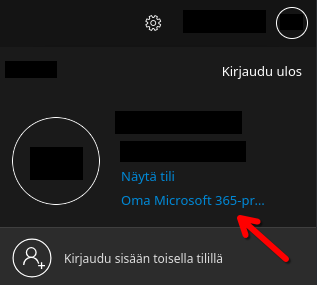
(2) On the new page that opens, click this button.
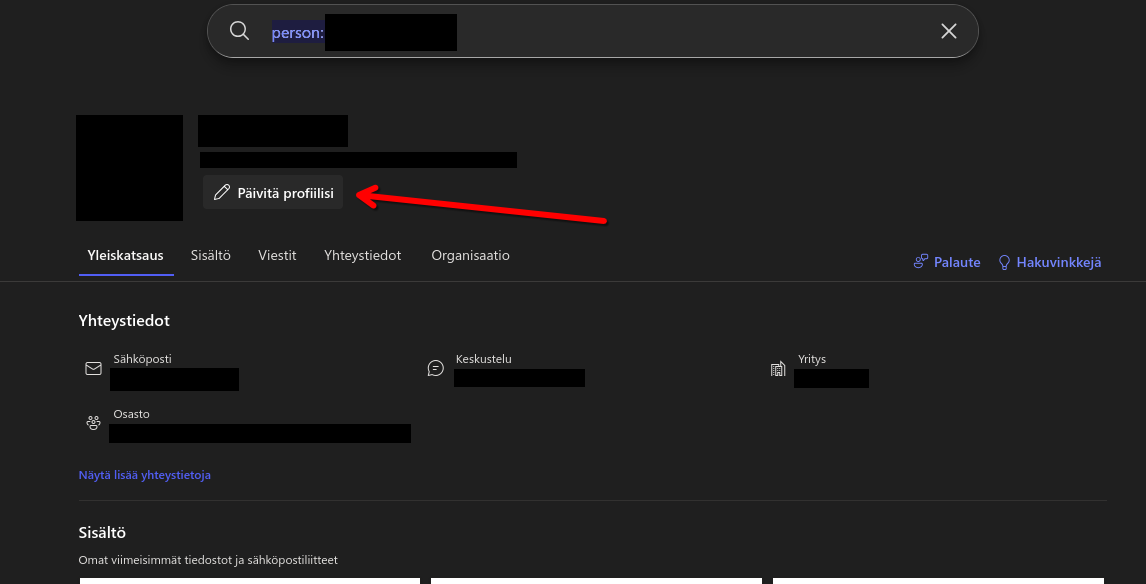
(3) In the modal pop-up, click this unassuming one-word link in the bottom left.
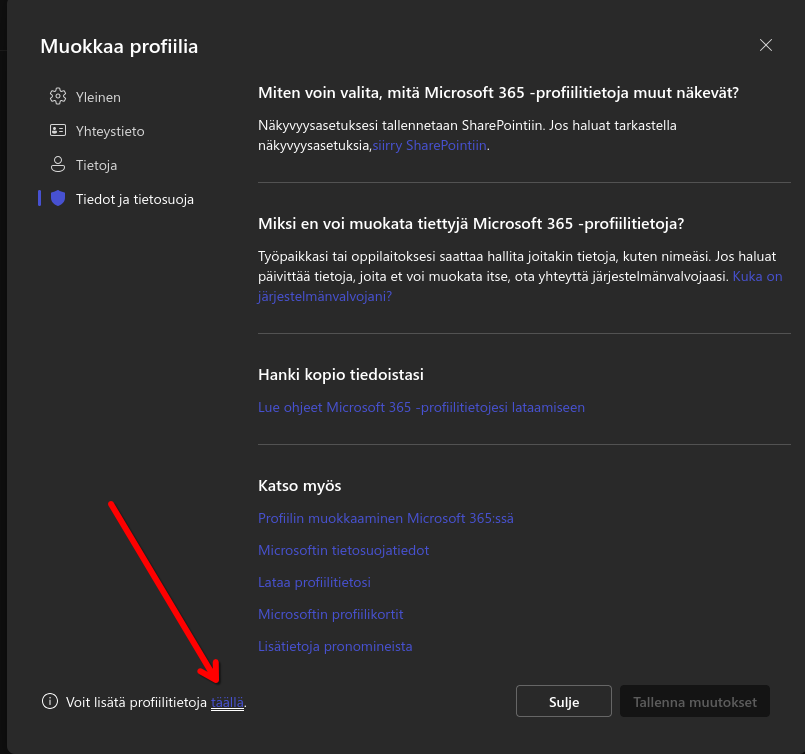
(The link translates to "You can add more profile information here.")
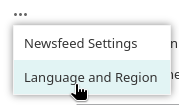
(4) On the new page that opens, click on the ellipsis button to show the hidden items of the horizontal navigation.
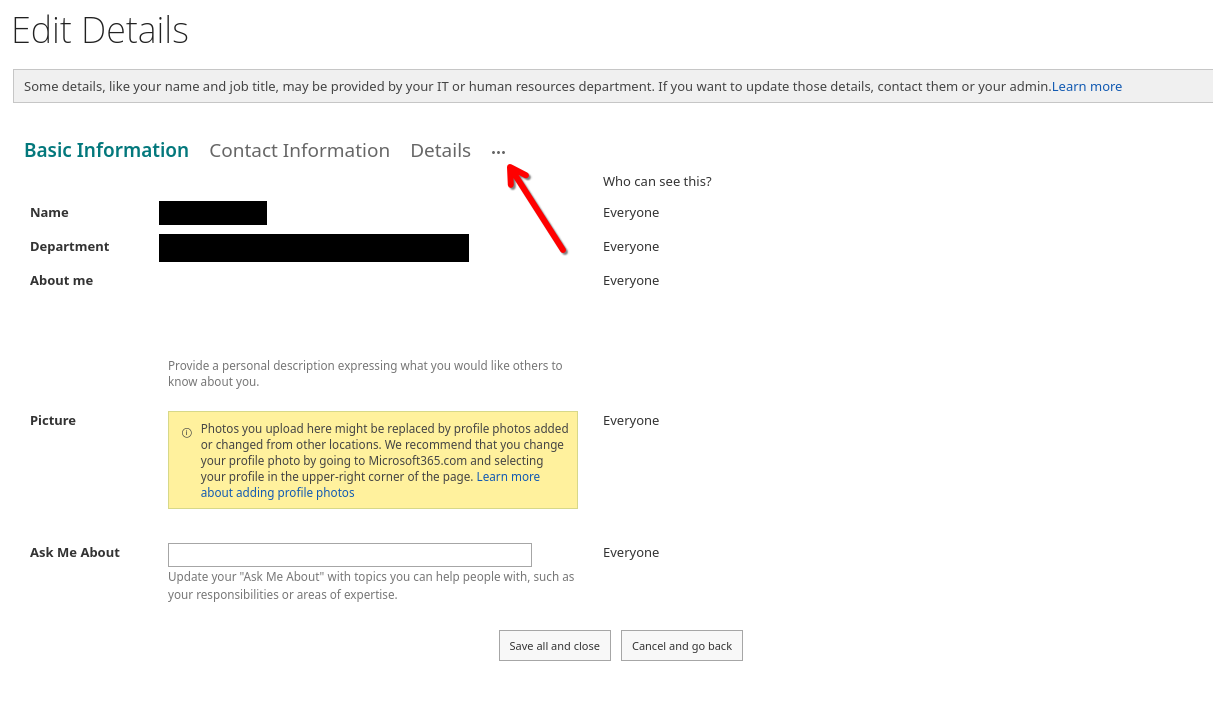
(5) Select "Language and region".
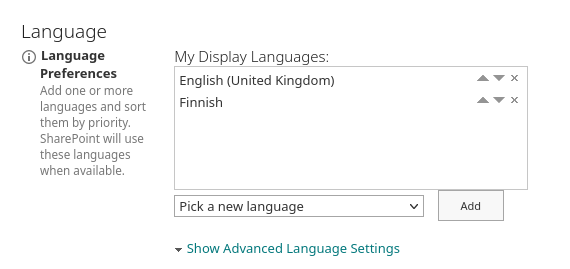
(6) Add your preferred language using the drop-down box and move it to the top of the list using the little arrows.
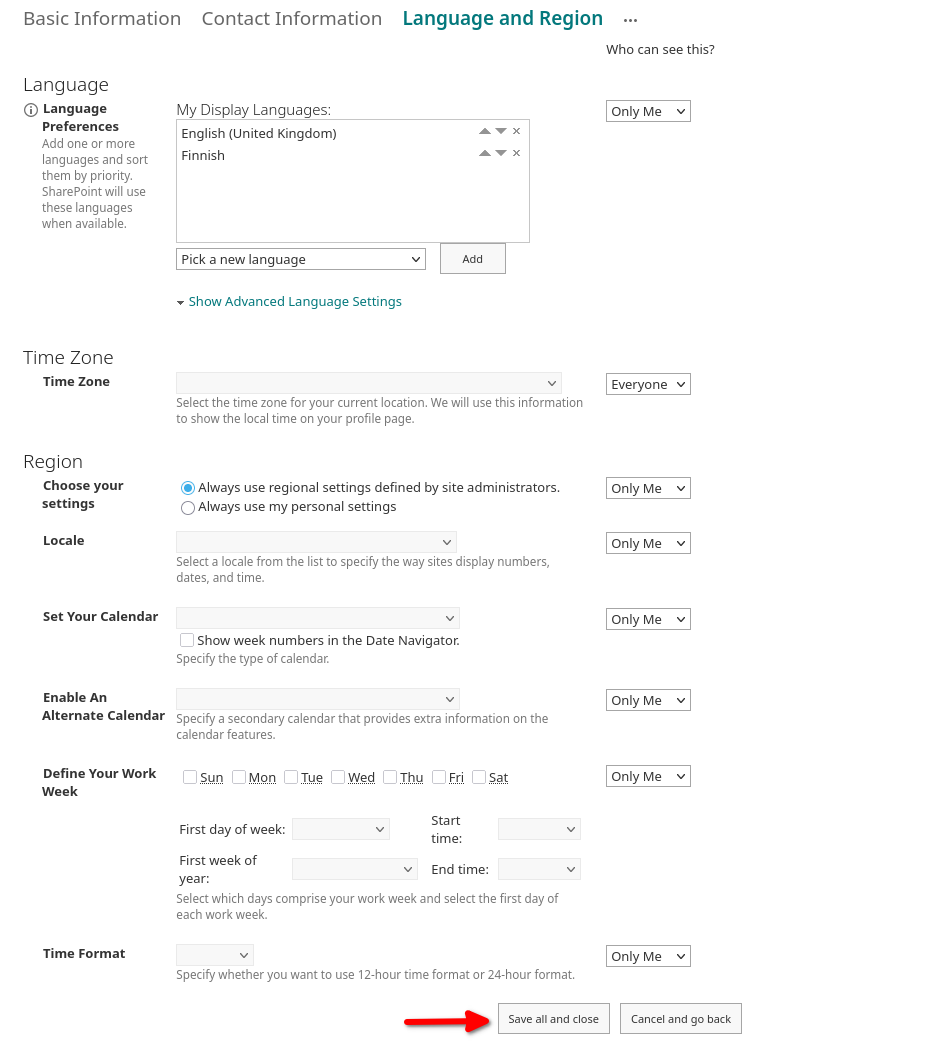
(7) IMPORTANT! Don't forget to scroll to the bottom and click on "Save all and close"!
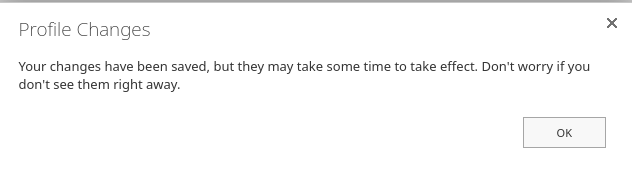
(8) Click "OK" on this pop-up.
(9) You're done and will be navigated back to the page from step 2!
Hope you didn't want to change any other settings here.
Oh, and the page from step 2 will still be in the original language. Don't worry, the pop-up dialog assured us it will change soon. Word may also still be in the original language, but should change sooner than the page from step 2 (I am still waiting on that one).
