this post was submitted on 20 Mar 2026
17 points (100.0% liked)
Linux
64181 readers
2 users here now
From Wikipedia, the free encyclopedia
Linux is a family of open source Unix-like operating systems based on the Linux kernel, an operating system kernel first released on September 17, 1991 by Linus Torvalds. Linux is typically packaged in a Linux distribution (or distro for short).
Distributions include the Linux kernel and supporting system software and libraries, many of which are provided by the GNU Project. Many Linux distributions use the word "Linux" in their name, but the Free Software Foundation uses the name GNU/Linux to emphasize the importance of GNU software, causing some controversy.
Rules
- Posts must be relevant to operating systems running the Linux kernel. GNU/Linux or otherwise.
- No misinformation
- No NSFW content
- No hate speech, bigotry, etc
Related Communities
Community icon by Alpár-Etele Méder, licensed under CC BY 3.0
founded 6 years ago
MODERATORS
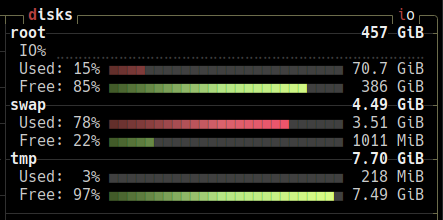
it lists multiple tmpfs:
i hope these are all as konsole doesn't seem to have a search function in kubuntu, why?
You are correct this is the one mounted on
/tmp.Everything under
/runand/devis normal to be on tmpfs and should not be changed.In Linux, a lot of internal systems and devices are considered as files even if they are not really a file in the usual sense of it. For example what is in
/devis usually not really taking up RAM space but more of a representation of the devices (internal and external) that are attached to your system. You can programatically read and write to these "files" to communicate with the devices.In Linux, everything is a file
for a more readable output
df -ht tmpfsthanks! but it's unclear how to tell it lives in RAM...
tmpfs is a memory filesystem, they all do
https://man7.org/linux/man-pages/man5/tmpfs.5.html
one-liner to get the total used size