13
submitted 5 months ago by notes@piefed.social to c/fedora@lemmy.ml

Linux Community Wins as Fedora Cancels 32-Bit Removal Plan

The past few days have seen a strong response from the Linux community, who were not happy about Fedora's plan to drop 32-bit support with the upcoming Fedora 44 release.

The proposal sparked heated debates across forums and social media, with many users voicing concerns over how it would affect gaming, legacy hardware, and Fedora-based projects.

Things got so tense that the founder of Bazzite spoke out publicly, highlighting how the change could negatively impact their user base and future development plans.

Luckily, after receiving feedback from the community, the proposal has been dropped.

32-bit Support Stays, For Now

Linux Community Wins as Fedora Cancels 32-Bit Removal Plan

Fabio Valentini, a Fedora Engineering Steering Committee (FESCo) member, has formally withdrawn the proposal to discontinue 32-bit support in Fedora. The proposal, originally targeted for Fedora 44, aimed to address the increasing technical challenges in maintaining 32-bit compatibility across the distribution.

Acknowledging the backlash, Fabio admitted that the target for this change was too early and pointed out that the technical problems mentioned in the proposal are not going away.

He added that:

I don’t think the problem that was attempted to be addressed with this proposal will go away. With more and more projects dropping official support for building / running their software on 32-bit architectures, it’s just going to get worse over the next few years.

Fabio also said that he was disappointed by some of the reactions. He felt that people misunderstood the proposal and saw it in a more negative way than intended, and that it was meant to solve technical issues, not some conspiracy to break gaming use cases.

In the end, I figured this would be the end result of the proposal, and I get that 32-bit support in Fedora won’t last forever, and that’s okay. The good thing here is that Fedora-based distros like Bazzite and people who rely on 32-bit now have plenty of time to prepare for when that day eventually comes.

Suggested Read 📖

Fedora Looks to Completely Ditch 32-bit SupportFedora plans to drop 32-bit packages completely.Linux Community Wins as Fedora Cancels 32-Bit Removal PlanIt's FOSS NewsSourav RudraLinux Community Wins as Fedora Cancels 32-Bit Removal Plan


From It's FOSS News via this RSS feed

7
10
4
submitted 5 months ago by notes@piefed.social to c/runescape@lemmy.world
4
submitted 5 months ago by notes@piefed.social to c/runescape@lemmy.ml
10
A Technical Dive into ODF (blog.documentfoundation.org)
4
submitted 5 months ago by notes@piefed.social to c/endless_sky@lemmy.ml
11
submitted 5 months ago by notes@piefed.social to c/terraria@lemmy.ml
3
submitted 5 months ago by notes@piefed.social to c/kobo@discuss.online

The Kobo Elipsa 2E is our favorite note-taking e-reader.

Kobo is discounting two of its best e-readers. The Kobo Elipsa 2E, a competitor to the Kindle Scribe, is available for an all-time low of $349.99 ($50 off) from Rakuten Kobo and Target. Meanwhile, the Kobo Libra Colour is available for $209.99 ($20 off) from Amazon, Target, and Rakuten Kobo. The sale runs through July 10th.

The Kobo Elipsa 2E is my top pick for taking notes while reading. Its spacious 10.3-inch display lets you write directly on ebook pages — whether in margins, between lines, or wherever inspiration strikes — giving you a natural, paper-like experience. While Amazon’s Kindle Scribe supports on-page writing, its tools are far more limited; you can’t freely annotate, circle text, or mark up pages with the same ease. For anyone wanting an e-reader that doubles as a digital notebook, the Elipsa 2E offers a more intuitive and versatile experience.

Kobo Elipsa 2E

The Kobo Elipsa 2E is an ad-free 10.3-inch e-reader you can write on with the included stylus. It offers a whole host of useful features, like the ability to convert handwriting to typed text and a great selection of pen types.

Where to Buy:

$399.99 $349.99 at Target $399.99 $349.99 at Rakuten Kobo

Meanwhile, the Kobo Libra Colour is worth a look if you want something smaller but still feature-packed. Like the Kindle Colorsoft, it features a compact 7-inch color display that makes highlights, annotations, and comics pop compared to monochrome screens. Although the Colorsoft’s hues are slightly more vibrant, the Libra Colour provides a pleasant, easy-on-the-eyes experience. It also includes physical page-turn buttons and stylus compatibility (sold separately), allowing you to mark up text or jot notes — features that the Colorsoft lacks despite costing more.

Kobo’s main drawback is the lack of native Kindle book support, but it makes up for this with broader file format compatibility and support for direct borrowing from public libraries through OverDrive. Plus, if you don’t mind a few extra steps, you can always convert Kindle books for use on Kobo devices.

Read our review of the Kobo Libra Colour.

Kobo Libra Colour

The Libra Colour is one of the newest e-readers from Kobo and one of the first with color. With both OverDrive and Pocket support, it gives readers considerably more options than e-readers from bigger brands like Amazon.A hand using a stylus to take notes on the Kobo Libra Colour e-reader.

Where to Buy:

$229 at Amazon $219.99 $209.99 at Target $219.99 $209.99 at Rakuten Kobo

Three more deals to kickstart your weekend

The Belkin BoostCharge Pro 3-in-1 Wireless Charging Stand with Qi2 15W is on sale for $99.99 ($20 off) at Amazon after clipping the on-page coupon, matching its all-time low price. The sleek stand delivers up to 15W of fast wireless charging to MagSafe-compatible iPhones and includes a 5W Qi pad for charging other Qi-enabled devices, like Android phones or your AirPods. It also features a dedicated 5W charging puck for the Apple Watch, and supports fast charging for models starting with the Series 7.Anker’s 511 Charger is on sale for $12.99 ($10 off) at Amazon, which isits all-time low price. Anker’s also offering the same deal when you apply the code WS7DV2X0GGLZ at checkout. Despite its compact, travel-friendly design — with foldable prongs for easy storage — the charger delivers up to 30 watts of power via USB-C, making it fast and powerful enough to charge everything from smartphones and wireless earbuds to tablets and even some laptops.You can buy the Yeedi Cube robot vacuum for a new all-time low price of $199.99, down from $470, from Amazon as part of a limited-time lightning deal. The self-emptying, self-cleaning robovac offers solid 5,100Pa suction for picking up dirt and debris. While it skips high-end features like AI-powered obstacle avoidance, it can reliably map multiple rooms and lets you designate no-clean zones for more targeted cleaning.


From The Verge via this RSS feed

1
submitted 5 months ago by notes@piefed.social to c/kobo@lemmy.world

The Kobo Elipsa 2E is our favorite note-taking e-reader.

Kobo is discounting two of its best e-readers. The Kobo Elipsa 2E, a competitor to the Kindle Scribe, is available for an all-time low of $349.99 ($50 off) from Rakuten Kobo and Target. Meanwhile, the Kobo Libra Colour is available for $209.99 ($20 off) from Amazon, Target, and Rakuten Kobo. The sale runs through July 10th.

The Kobo Elipsa 2E is my top pick for taking notes while reading. Its spacious 10.3-inch display lets you write directly on ebook pages — whether in margins, between lines, or wherever inspiration strikes — giving you a natural, paper-like experience. While Amazon’s Kindle Scribe supports on-page writing, its tools are far more limited; you can’t freely annotate, circle text, or mark up pages with the same ease. For anyone wanting an e-reader that doubles as a digital notebook, the Elipsa 2E offers a more intuitive and versatile experience.

Kobo Elipsa 2E

The Kobo Elipsa 2E is an ad-free 10.3-inch e-reader you can write on with the included stylus. It offers a whole host of useful features, like the ability to convert handwriting to typed text and a great selection of pen types.

Where to Buy:

$399.99 $349.99 at Target $399.99 $349.99 at Rakuten Kobo

Meanwhile, the Kobo Libra Colour is worth a look if you want something smaller but still feature-packed. Like the Kindle Colorsoft, it features a compact 7-inch color display that makes highlights, annotations, and comics pop compared to monochrome screens. Although the Colorsoft’s hues are slightly more vibrant, the Libra Colour provides a pleasant, easy-on-the-eyes experience. It also includes physical page-turn buttons and stylus compatibility (sold separately), allowing you to mark up text or jot notes — features that the Colorsoft lacks despite costing more.

Kobo’s main drawback is the lack of native Kindle book support, but it makes up for this with broader file format compatibility and support for direct borrowing from public libraries through OverDrive. Plus, if you don’t mind a few extra steps, you can always convert Kindle books for use on Kobo devices.

Read our review of the Kobo Libra Colour.

Kobo Libra Colour

The Libra Colour is one of the newest e-readers from Kobo and one of the first with color. With both OverDrive and Pocket support, it gives readers considerably more options than e-readers from bigger brands like Amazon.A hand using a stylus to take notes on the Kobo Libra Colour e-reader.

Where to Buy:

$229 at Amazon $219.99 $209.99 at Target $219.99 $209.99 at Rakuten Kobo

Three more deals to kickstart your weekend

The Belkin BoostCharge Pro 3-in-1 Wireless Charging Stand with Qi2 15W is on sale for $99.99 ($20 off) at Amazon after clipping the on-page coupon, matching its all-time low price. The sleek stand delivers up to 15W of fast wireless charging to MagSafe-compatible iPhones and includes a 5W Qi pad for charging other Qi-enabled devices, like Android phones or your AirPods. It also features a dedicated 5W charging puck for the Apple Watch, and supports fast charging for models starting with the Series 7.Anker’s 511 Charger is on sale for $12.99 ($10 off) at Amazon, which isits all-time low price. Anker’s also offering the same deal when you apply the code WS7DV2X0GGLZ at checkout. Despite its compact, travel-friendly design — with foldable prongs for easy storage — the charger delivers up to 30 watts of power via USB-C, making it fast and powerful enough to charge everything from smartphones and wireless earbuds to tablets and even some laptops.You can buy the Yeedi Cube robot vacuum for a new all-time low price of $199.99, down from $470, from Amazon as part of a limited-time lightning deal. The self-emptying, self-cleaning robovac offers solid 5,100Pa suction for picking up dirt and debris. While it skips high-end features like AI-powered obstacle avoidance, it can reliably map multiple rooms and lets you designate no-clean zones for more targeted cleaning.


From The Verge via this RSS feed

5

Phasmophobia's Chronicle update added even more spooky sounds and voices for ghosts to make, but what good is that with no audible evidence to sell at the end of a contract? Fortunately, the patch also reworked how the Journal records and reports media, leading to the introduction of a new Phasmophobia tool, the Sound Recorder.

I tinkered with it in my Phasmophobia update preview and found just working up the nerve to stand around in the dark, running toward any hostile noises, to be scary enough. The act of actually sticking around and recording was terrifying. Though like so much of the toolkit, the Sound Recorder can be kind of finicky, but I've spent a lot of time messing around with demons in the dark and have some ghostly science to show for it.

How to use the Sound Recorder in Phasmophobia

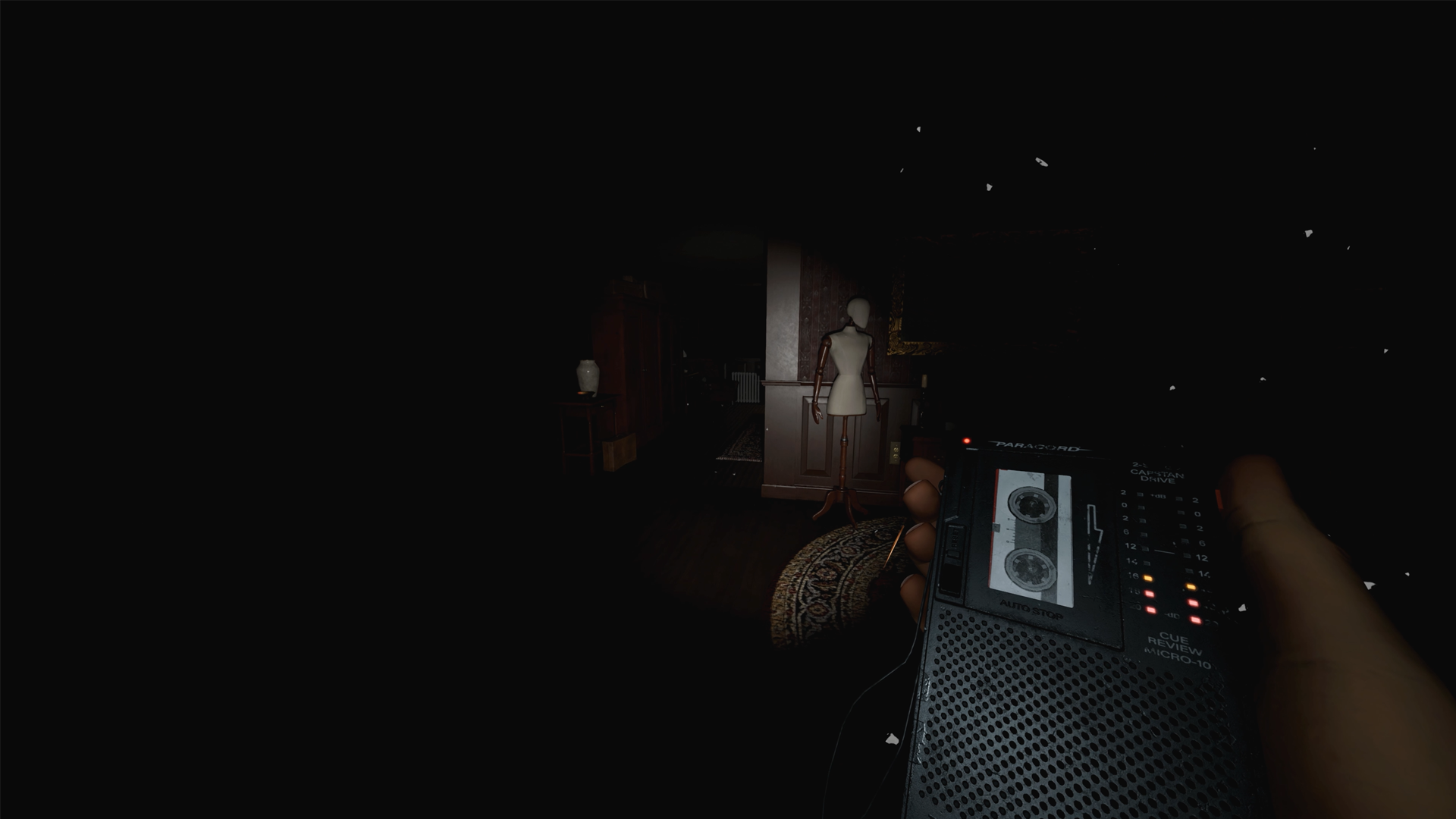
A dark room in Phasmophobia, only the new Sound Recorder tool is visible in the lower right.

(Image credit: Kinetic Games)

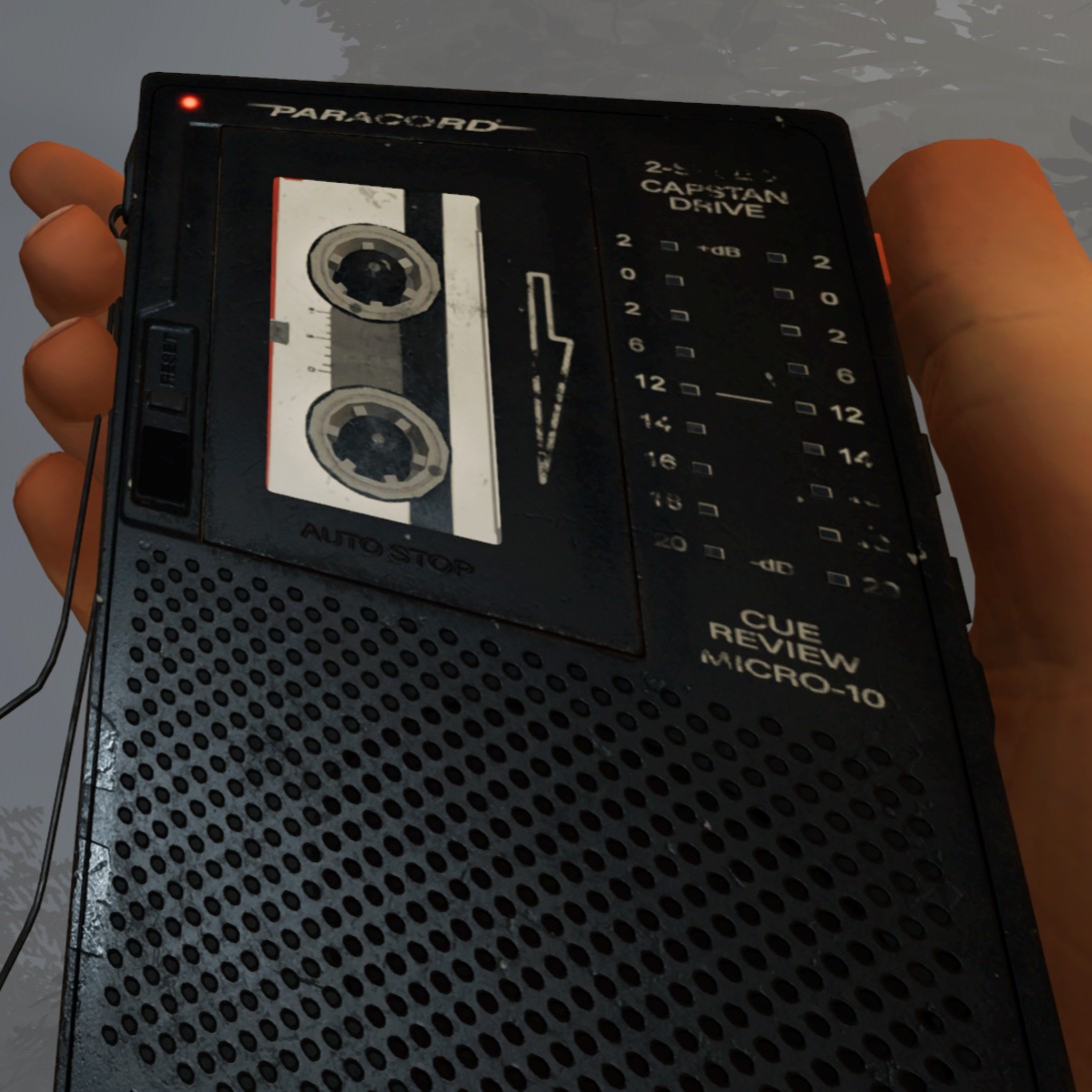
To start, don't think of the new device as just a voice recorder. Phasmophobia's latest tool captures all kinds of ghostly noises, including the shrill alarm triggered by EMF 5 events and the chaotic stomping of a ghost hunt.

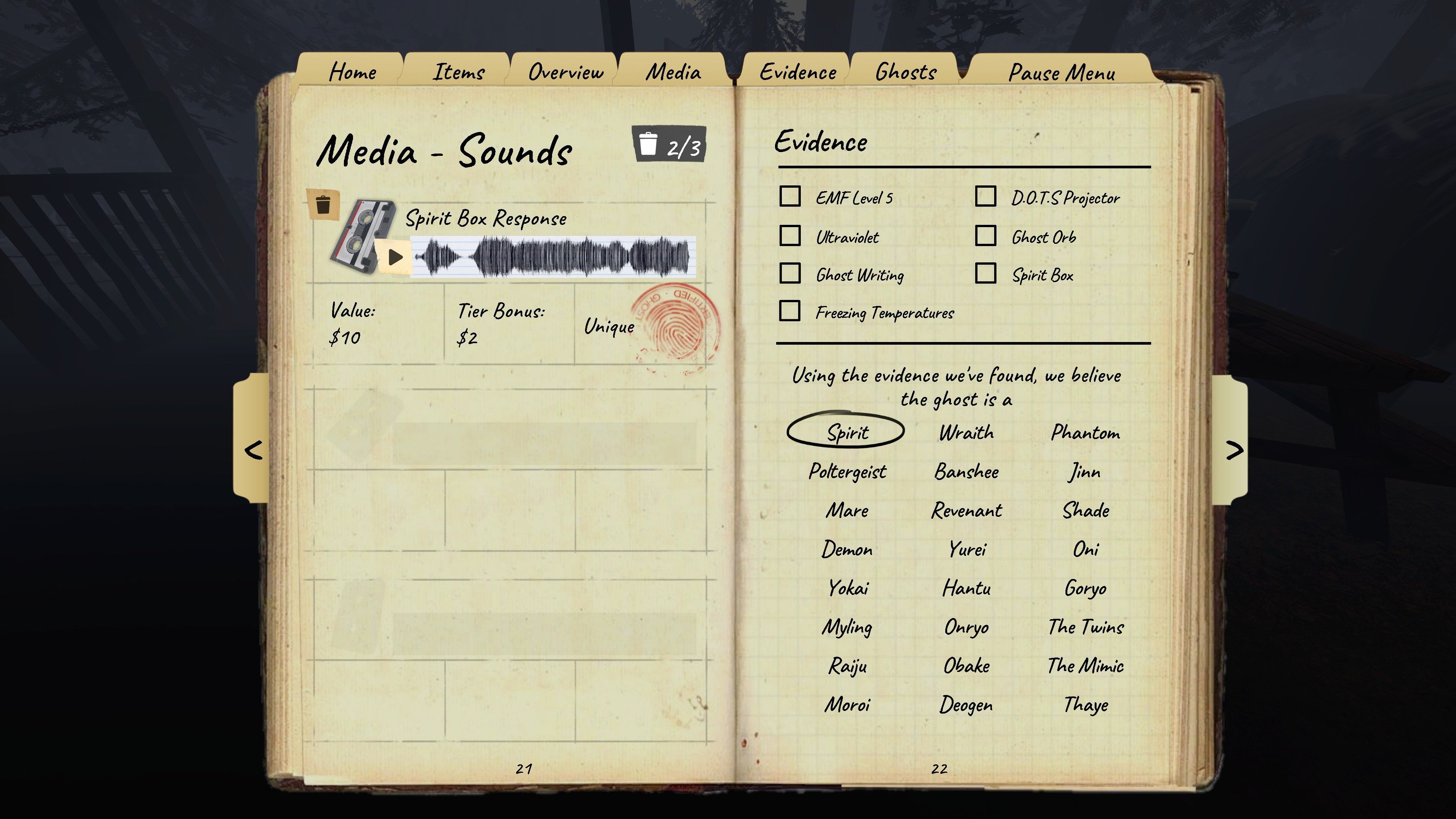
Remember, you can only record three sounds per contract. If you're chasing a perfect investigation, you'll want to record unique sounds—no duplicates. Check if a clip registered as a unique or duplicate recording by opening your Journal to the Sound page.

Enter the ghost room, turn the Sound Recorder onDepending on the tier, the tool display should show any qualifying noisesHold down right-click to record any activity through the event's durationRelease and check your Journal to confirm a successful capture

As hotfixes roll out, I suspect the Sound Recorder will get a little easier to use, so don't assume you're doing something wrong if nothing comes of your first capture attempt. Just watch the tool's display to make sure you're close enough and recording. And don't worry about recording anything that's over in a flash—ghost sounds have to be long enough to register in the Journal.

Sound Recorder tiers and unlock requirements

Sound Recorder Tier 1Unlocks at Level 4 for $2,000Cost: $30Range: 3m

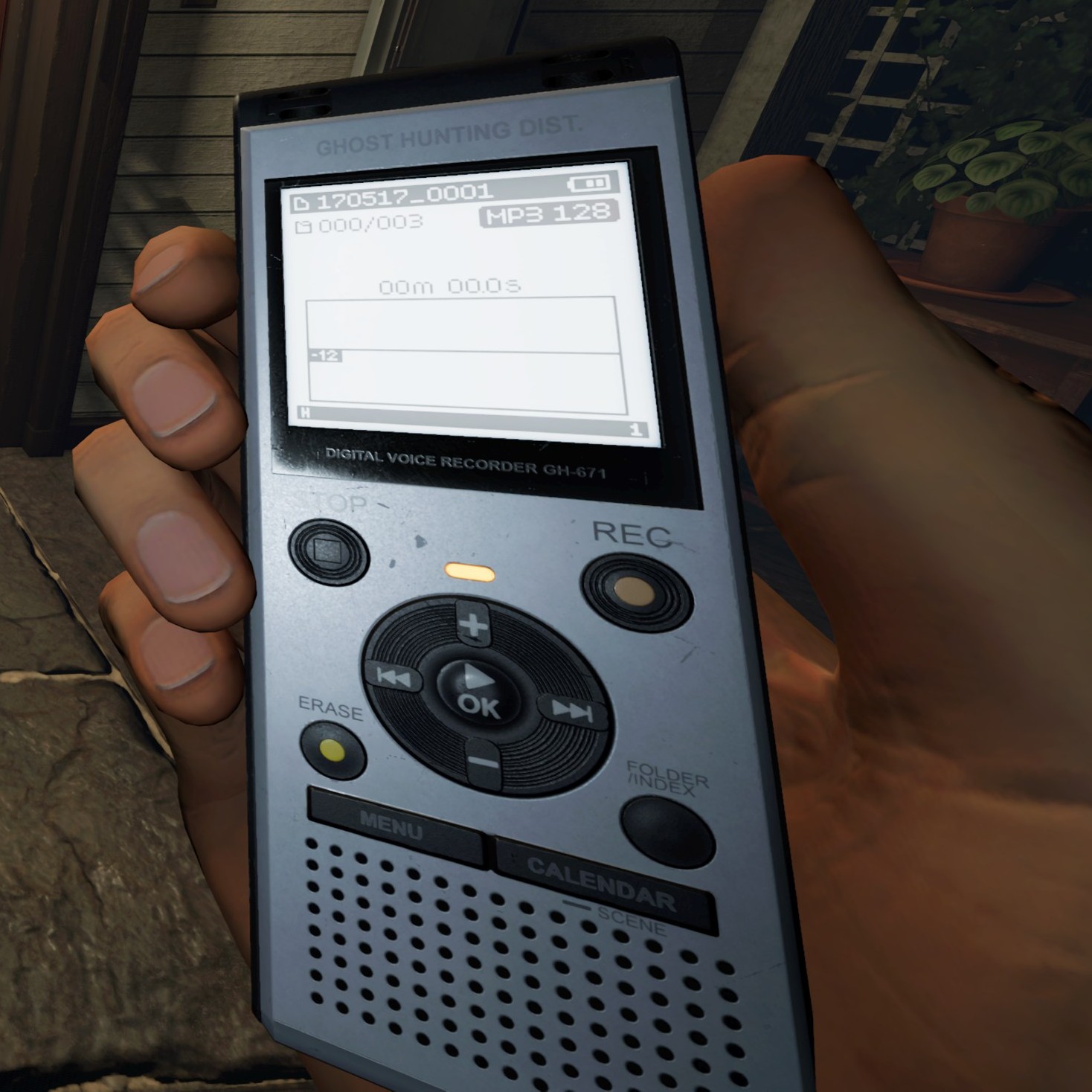
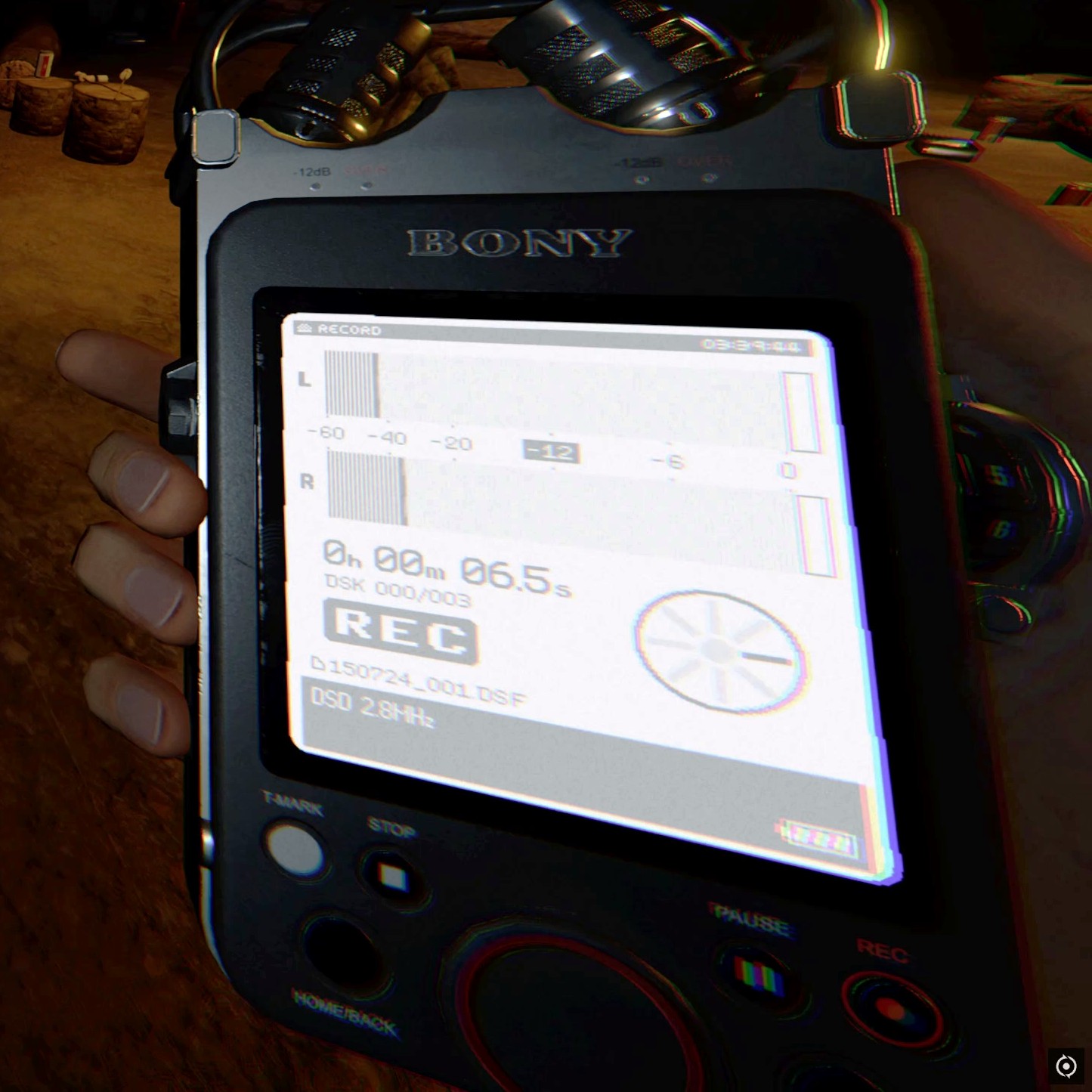
Sound Recorder Tier 2Adds a display screen with sound indicator. Unlocks at Level 50 for $3,000Cost: $30Range: 5m

Sound Recorder Tier 3Adds display with sound distance and directional indicators. Unlocks at Level 60 for $5,000Cost: $30Range: 5m

Phasmophobia events: Seasonal hauntingsPhasmophobia Crucifix:Stop huntsPhasmophobia Ghost types:Scary spiritsPhasmophobia Spirit Box questions: Deadly Q&A

What counts as a ghost sound recording in Phasmophobia?

The reworked journal from Phasmophobia's Chronicle update, shows the Media - Sounds page with a Spirit Box Response recording.

(Image credit: Kinetic Games)

While roaming around with the Sound Recorder on, there's a chance you'll hear paranormal sounds like laughing or whispering—that's among one of the easier recordings to score. Otherwise, I suggest keeping the device out and ready in case you hear any of these ghost sounds:

Paranormal sounds like laughing or whisperingGhost huntsSinging or groaning ghost eventsSpirit Box responsesDeogen breathing through the Spirit BoxHissing/gasping from Ghost MistScribbling noises from Ghost WritingCrucifix burningGhosts turning on a radioUsing the Music Box


From PCGamer latest via this RSS feed

6
view more: ‹ prev next ›

notes

joined 6 months ago
MODERATOR OF