43
Programmers, what is your keyboard?
(i.postimg.cc)
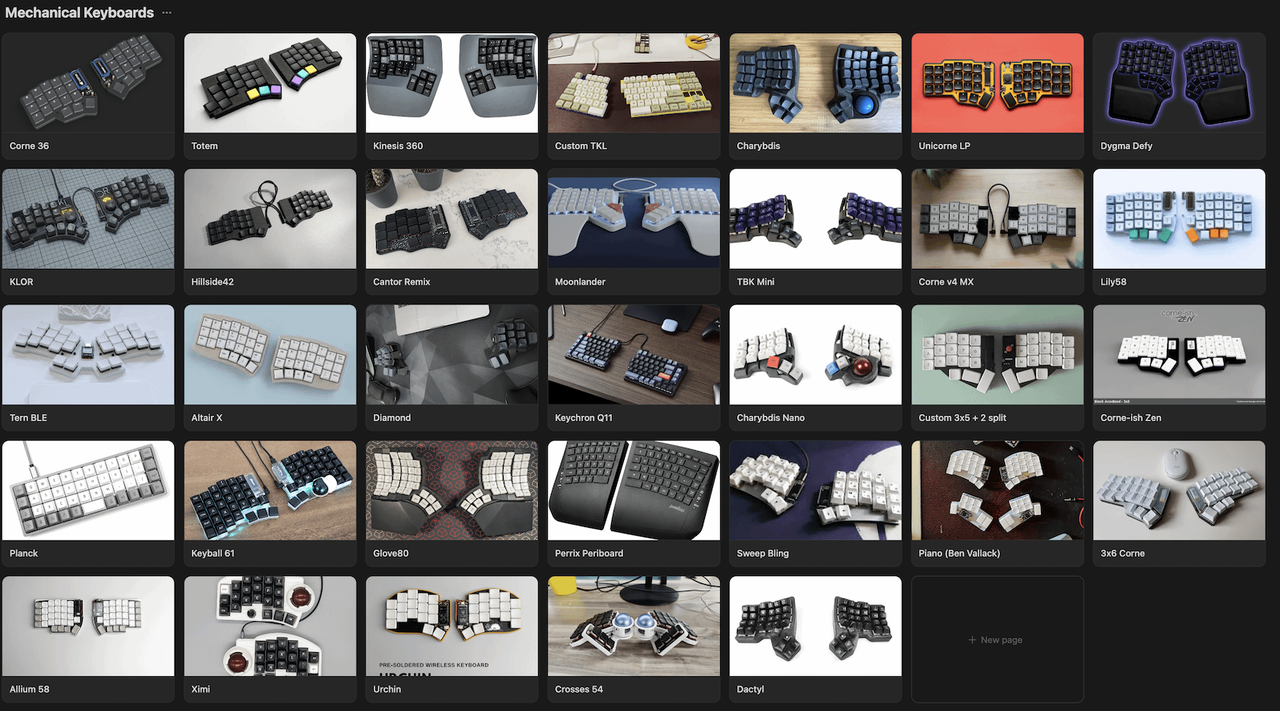
ZSA Voyager for over a year now, and the other ZSA boards since about 2018.
image (not mine)

I've been really happy with it, and it helps me type fast. I do tend to slam the keys down sometimes but it's held up great. I was able to stop using a mouse- the key-driven mouse motion is intuitive enough for me.
Took me a bit to get used to the reduced key layout, but it's actually turned out to be just enough. I see some people with even fewer keys! Will need to try that out sometime.
Just running a base hardware configuration with Kalih Choc Brown switches and a custom layout that does not use any chording or timing-based layer switching, only holding.
Would like to try building my own someday.
Me and the homes at work are all sporting the HP slim. https://www.amazon.com/Business-Enhanced-Keyboard-HP-803823-001/dp/B017JP0GS4
Keychron K3.
It's low-profile (no twisted wrist!), wireless (Bluetooth), has RGB (though I have it set to white), small enough to drag to work, and with the Keychron Mint keys (there's also a Gateron version) - I've tried all their keys except brown because I never liked browns, ever. Black and red are too light - can't rest my fingers on them without accidentally press them. Blue and orange are too clicky for work, and Mint is what I ended up liking - they're like browns, but the click is way higher, which feels sooo comfy, instead of weirdly squishy.
Been looking at the Kinesis 360 (?), but I can't find low-profile keys for it, and the available options are rather lacking for a 650 EUR keyboard (I kinda want the wireless one).
I really like concave keyboards, and maybe someday I'll invest in one (I previously used a Kinesis 2 but the company kept it when I left).
But besides the brief Kinesis foray, I have used the MS Ergo Sculpt since...2014, I think. It's honestly pretty nice, especially since I don't really care about mechanical keycaps and I value portability. (The only portability downside is that I need to manually put something in the battery compartment to keep it powered off while traveling, because for some reason it has no off-switch.)
~1500 yen Buffalo US-layout keyboard (Linux/Windows) and a ~15k yen Logi wireless one for the Mac that work makes me use.
For gaming, I want to eventually get a mechanical (or at least something that allows more than like 2 keys near each other to be pressed at once), but they're all too expensive for me to justify it. A 10-key and US layout are musts for me (Japanese layout has a bunch of symbols and stuff in completely different positions) which reduces the pool a lot.
I've been using this for a while now, both at work and a home, they're relatively cheap to build and tick almost every box for my usage: https://github.com/mmccoyd/hillside open hw/sw
Keychron q10 max Alice layout, so sweet
Mattias ergo pro - adjustable, split, and ALPs style switches
Kinesis Gaming. Good ergonomics, but it's pretty stupid how much they want for risers and like 6 Mac layout key caps on top of an already expensive keyboard. I don't use the RGB or macro features.
I'm building a 3d printed dactyl-like keeb with this generator. It's got a cool hand scanning feature that adapts the key spacing/curvature to your hand.
I think I'm on my 4th Kinesis Advantage in 25 years. Dvorak, with an Apple touchpad taped in the center. I have the newer one -- the 360 -- but getting the Dvorak layout firmware dialed in is a project I haven't had time for and so it still sits unused.
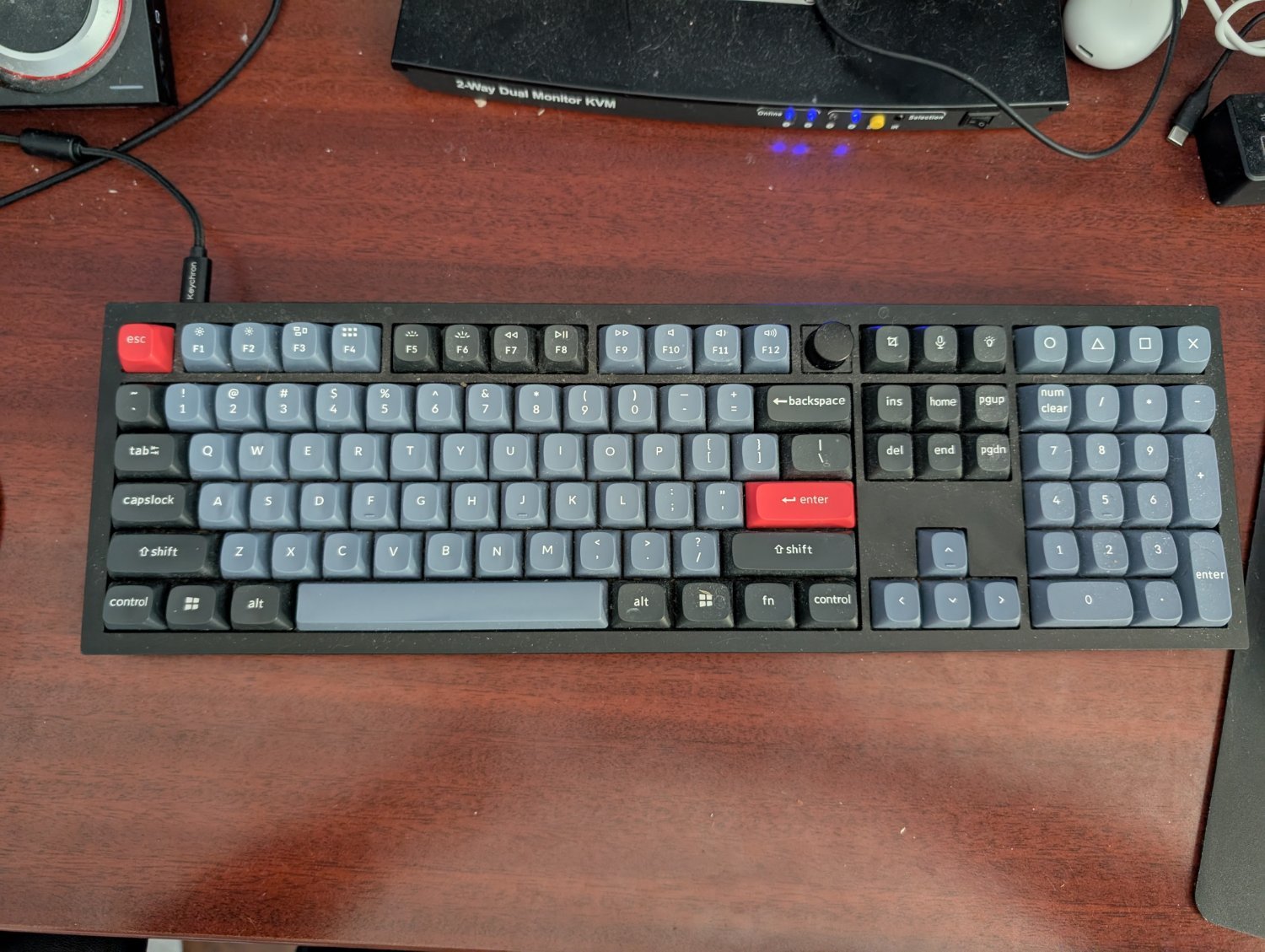
Keychron?
I love my Keychron K5 SE
I have identical ones at work and at home.
Here is what I use.
The split mechanical one is from Keebio. I don't think they stock the PCB I used any more. It's called the Viterbi and I like it a lot. It's just 2 simple 7x5 ortho boards with an option for a 2u spacebar on the bottom inside keys on both halves.
My other keyboard is a Kensington Pro Fit Ergonomic Wired Keyboard. It's about 40 dollars on Amazon. I got it because I was learning Blender and it uses hotkeys on the numpad and other keys I don't have on my Viterbi.
Oh and I built the Viterbi with Gateron yellow switches which are like Cherry red but with a heavier actuation because I tend to accidentally press keys with red switches.
Until I finally complete the firmware for this mothership:...
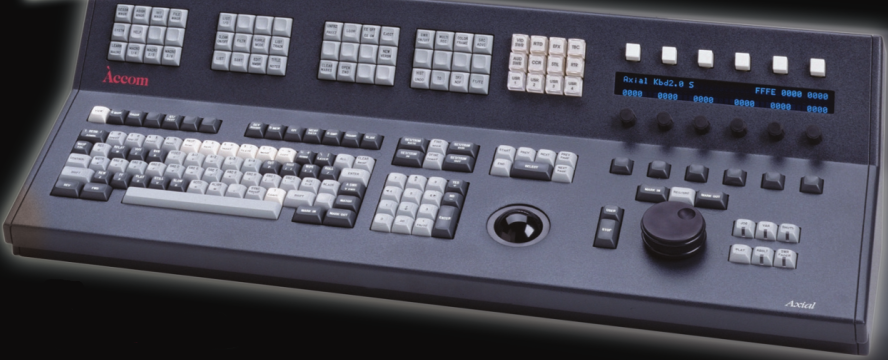
...then I'll be on an(y) old full size keyboard - with INS and DEL and so on in their rightful places. And wireless, that's convenient.
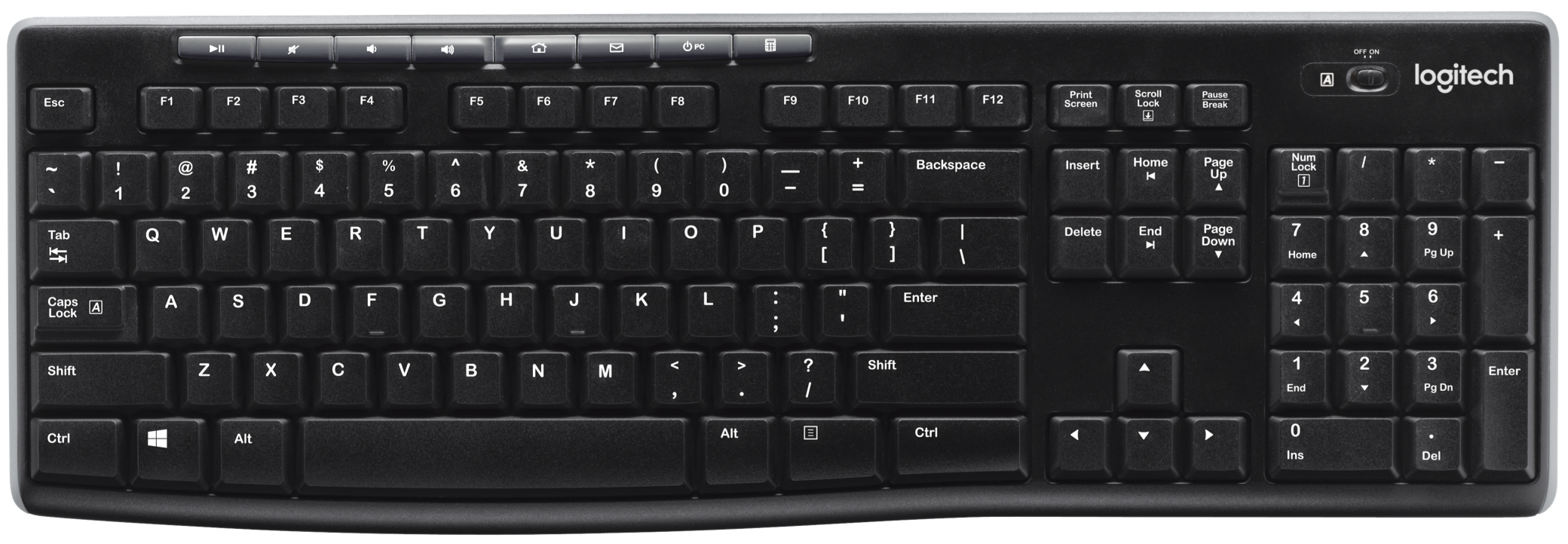
This is my current daily driver. Before that, I wore out a couple of these beauties:
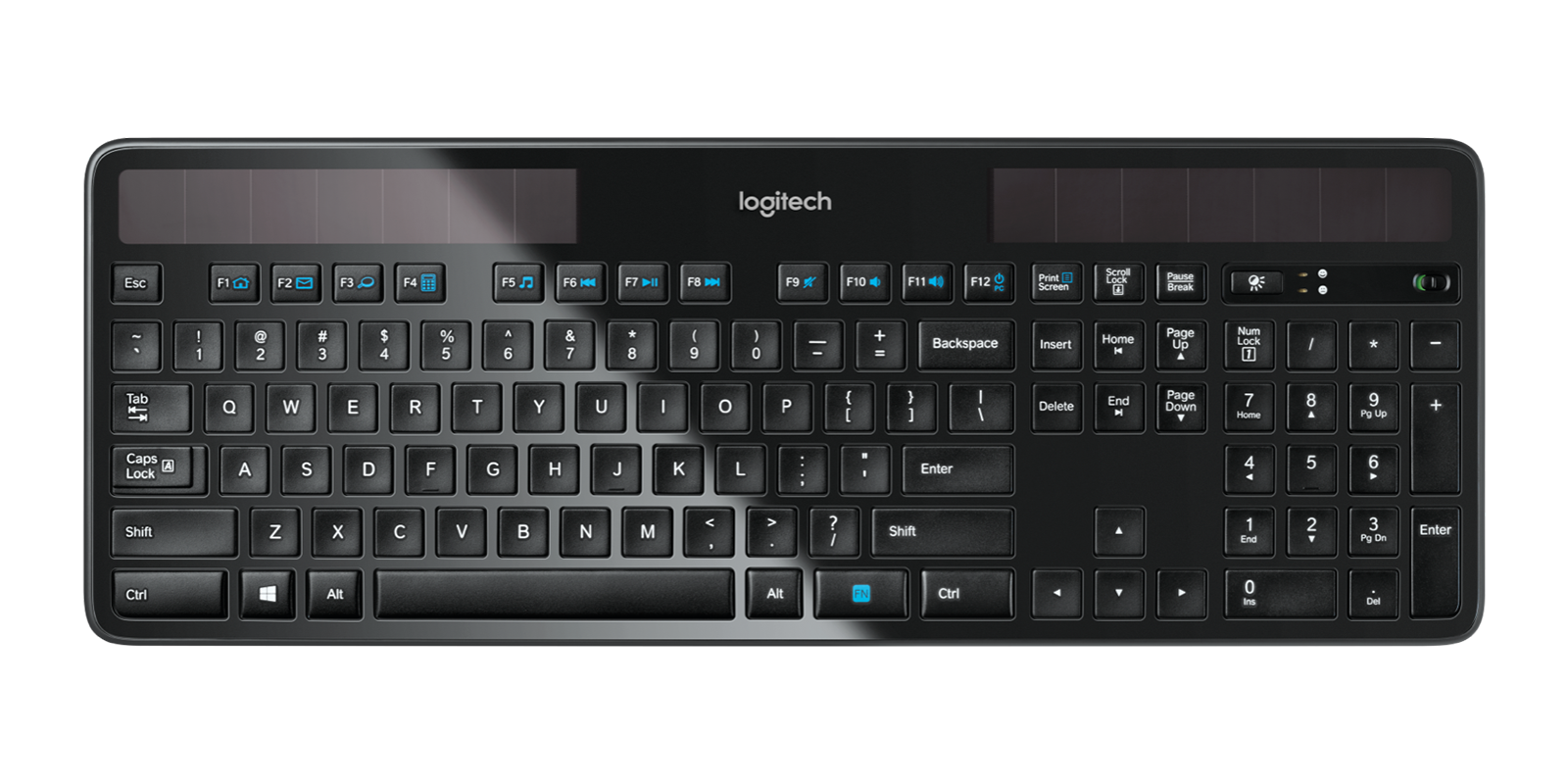
Oh, and Dvorak layout. Obviously.
Oh, and Dvorak layout. Obviously.
I use Colemak, but to each their own!
Whoa, colemak? Cool. I've been trying to learn it since i'm used to [fastly] hunting and pecking qwerty but it wears out my fingers. How faster do you think you are now, in comparison to qwerty?
Good question, I haven't tested my speed in a while, for me comfort is more important than speed
I know this is an ancient comment, but I have some motivational sentiment to share:
It's been forever since I switched, but back when I was using QWERTY I had a pretty sad 40 WPM (words per minute); to be fair, I never put a conscious effort into typing fast. A friend of mine, who was very proud of her typing ability, typed up to 60-80 WPM, also on QWERTY.
Then, I decided to learn Colemak. I remember that I was taking a longish holiday, so I had a couple weeks to get comfortable before my speed mattered. In these weeks I managed memorize the layout and get around 30 WPM in bursts, but I was already much more comfortable and using proper touch-typing.
In the time after this my speed increased and increased (it really has been a while, so I can't give specific times). Eventually I remember hitting a consistent 60 WPM and being super psyched.
Then, maybe six months after starting out, I realized I could type 100 WPM. Then 120. Today, 150 (though not for longer periods of time) WPM. My speed has effectively tripled.
I don't give Colemak alone full credit for this. Part of it is that I used Colemak as an opportunity to learn the keys properly (I didn't tape over the physical keys, so I had to memorize them, and thus properly learned touch typing), and that I started putting in a conscious effort into typing fast. But learning Colemak (Dreymar's Colemak-CAWS and Extend to be specific) has certainly been one of my better decisions. I can highly recommend :P
Scylla Dactyl.
Which is what you have under "Dactyl" but the usual Dactyl is much more boxy.
The corne 3x6, but you can convert it into the corne 36 by breaking off the edge of the pcb. I have several of them.
ZSA Voyager.
Anybody else rocking the good old Deck Legend? I got it in 2012, the LEDs are all green including caps/num lock indicators, and inside the boring outer case the PCBA is mounted to a slab of freaking metal. \m/
All three of mine are there! I have a Kinesis 360, Moonlander and Glove 80!
Odin75 with HMX Macchiato switches. No exotic layouts or anything, just a good board
My MacBook Air default keyboard
I use 2 keyboards primarily.
SliceMK ErgoDox Lite - I daily drive this keyboard in particular at home. I was surprised how much you can do with the configurator app. The developer is very active and responsive in his discord. Using the config tool I was able to reproduce all the same layers that my Moonlander has and the keyboard works just as well except that it's wireless.
ZSA Moonlander Mk 1 - I use this keyboard daily when working. It's packed with features and feels great to use. My only complaint has always been the 1U modifier keys. I got big hands and it's easy for me to slip up and miss modifiers. Other than that it's a fantastic keyboard and I'd daily drive it if those modifier keys were longer. The Oryx configurator app is really fluid. I like that it's integrated with GitHub for version control of your keyboard firmware. Also really cool that you can turn this keyboard into a mini midi controller
A community for news, discussion, and showing off your mechanical keyboards