this post was submitted on 02 Jul 2025
430 points (100.0% liked)
Steam Hardware
20010 readers
176 users here now
A place to discuss and support all Steam Hardware, including Steam Deck, Steam Machine, Steam Frame, and SteamOS in general.
As Lemmy doesn't have flairs yet, you can use these prefixes to indicate what type of post you have made, eg:
[Flair] My post title
The following is a list of suggested flairs:
[Deck] - Steam Deck related.
[Machine] - Steam Machine related.
[Frame] - Steam Frame related.
[Discussion] - General discussion.
[Help] - A request for help or support.
[News] - News about the deck.
[PSA] - Sharing important information.
[Game] - News / info about a game on the deck.
[Update] - An update to a previous post.
[Meta] - Discussion about this community.
If your post is only relevant to one hardware device (Deck/Machine/Frame/etc) please specify which one as part of the title or by using a device flair.
These are not enforced, but they are encouraged.
Rules:
- Follow the rules of Sopuli
- Posts must be related to Steam Hardware or Steam OS in an obvious way.
- No piracy, there are other communities for that.
- Discussion of emulators are allowed, but no discussion on how to illegally acquire ROMs.
- This is a place of civil discussion, no trolling.
- Have fun.
Link to our Matrix Space
founded 4 years ago
MODERATORS
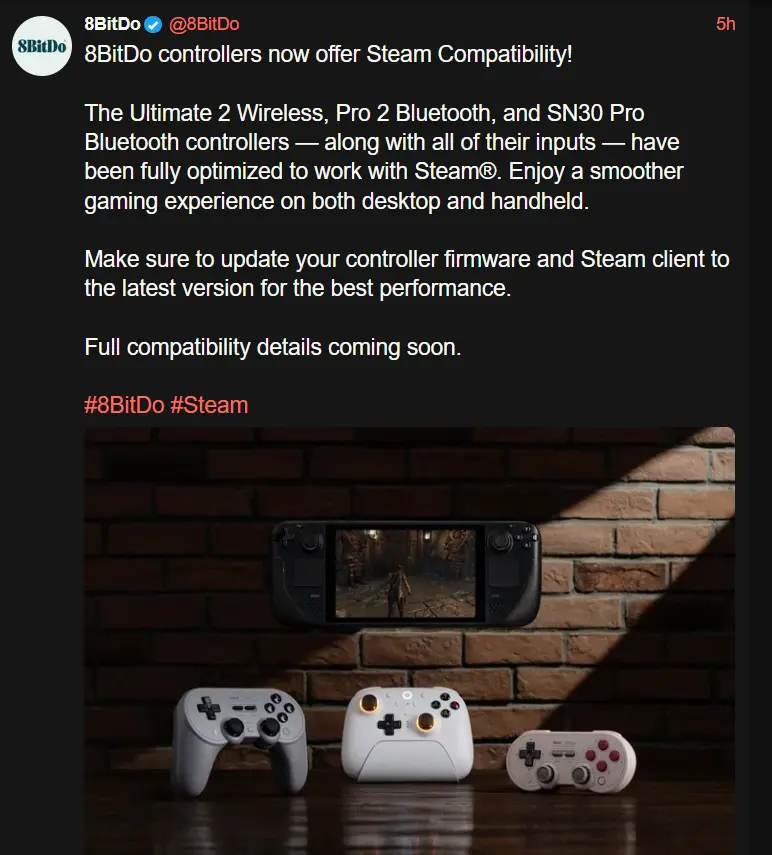
I really wish you could swap the buttons easily to match the system. The 8-bitdo controllers tend to have the Nintendo layout which kind of sucks because most games don't support that they use Xbox. And then of course if you get into emulation nothing will match the PlayStation so I either need several controllers around or to memorize locations
I wish so many games didn't default to the Xbox layout with no option to change it. Having grown up with the SNES layout, the prompts fuck me up every time.
How can it be so hard for devs to just include some additional sets of glyphs and allow the player to switch manually? Then nobody would have this problem.
It isn't, and many now do.
Autosetting the glyphs correctly is actually one of the requirements for a Steam Deck Verified badge and Steam supplies a library that has them all, so modern games are pretty good at it. And if you implement that, you might as well add a menu option to change "Auto" to "Switch" or "Playstation".
There just was a quite long period where majority of games used Xinput thanks to Microsoft, basically only working with Xbox controllers, and as a response a whole bunch of controllers identify as Xbox controllers when plugged in. Therefore, xbox icons were the only thing they were "designed" to ever work with.
If you don't care about what the physical button shows, steam has an option the swap the layout of the face buttons from Nintendo to xbox in the input settings.
You can! They have replacement buttons for whichever layout you want for fairly cheap. I'm using the original ultimate Bluetooth with an Xbox layout.
Wait what? Do you have a link for this?
https://shop.8bitdo.com/products/8bitdo-abxy-buttons-for-ultimate-controller-xbox-layout
At least in Steam, there is a "use Nintendo layout" or something setting to swap X and A